

Get this deal! Call now.
Speak with a vehicle protection plan specialist and get $300 off any new contract instantly.
Call 866-678-4172
or scan the code below

Your contract is available at any time through the Endurance Customer Portal.
To get started, visit EnduranceWarranty.com and select “Account Sign-in.” Enter your email address, and we’ll send you a secure one-time passcode for instant access.
Once you’re logged in, you’ll see your vehicle on the main dashboard. Select it to view your Contract ID Card, download your full vehicle service contract, or print a copy for your records.
Beyond just your contract documents, the portal is also where you’ll find your coverage details and resources that walk you through how the claims process works. We recommend taking a few minutes to review everything before you ever need a repair. Knowing what’s covered, what steps to take, and who to contact ahead of time makes the whole experience smoother if something does come up.
If you have trouble accessing your account or need help finding something specific, our customer service team is available to help. Call us at (866) 432-4443, and we’ll walk you through it.

Answers about your coverage, benefits, what sets Endurance apart and whether our plans are covered by insurance.

Everything you need to know about our easy filing process: when to file a claim, how to file a claim and what happens next.

Information on the importance of an extended auto warranty and answers about mechanical breakdown insurance.

Insights on plan pricing, how to get a free quote, how long your quote will last, what will be covered and where to ask for help.

A deeper understanding of your contract including when to use it, how to view it online, and where to go with questions.

Top answers on how to update billing information, where to see your bill, when your payments are due and where to go with billing questions.

We've received your vehicle information and will contact you shortly with your quote.
— OR —
Start shopping for a coverage plan now.


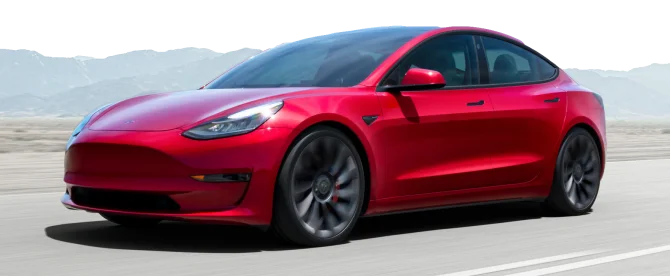
We're here to make sure you get the most comprehensive EV protection. That's why we've partnered with Xcelerate Auto to offer you transparent and dependable Tesla coverage.
Want us to contact you about XCare coverage for your Tesla?

Your protection is our top priority. Your quote is in progress and you will
receive a confirmation
email shortly.

Speak with a vehicle protection plan specialist and get $300 off any new contract instantly.
Spooky Savings: $300 off + FREE Elite Benefits for 1 year!
By clicking the button, you consent to Endurance using automated technology to call, email, and text you using the contact info above, including your wireless number, if provided, regarding auto protection or, in California, mechanical breakdown insurance. You also agree to the Endurance Privacy Policy and Terms and Conditions. Consent is not a condition of purchase, and you can withdraw consent at any time. Message and data rates may apply.
Speak with a vehicle protection plan specialist and get $300 off any new contract instantly.
Call 866-678-4172
or scan the code below

Simply fill out the information below and we will follow up fast with your free no-obligation quote.
By clicking the button, you consent to Endurance using automated technology to call, email, and text you using the contact info above, including your wireless number, if provided, regarding auto protection or, in California, mechanical breakdown insurance. You also agree to the Endurance Privacy Policy and Terms and Conditions. Consent is not a condition of purchase, and you can withdraw consent at any time. Message and data rates may apply.

To speak to a vehicle protection plan specialist and get $300 off any new contract instantly
Scan the code below


